
In Summary:
The "My Wallet" page puts you in full control of your $AMBIOS rewards. From here you can:
- Monitor your points and claim your $AMBIOS.
- Manage and claim your legacy balances and redemptions.
- Track your $AMBIOS transaction history.
- Download your rewards history.
How it works: By clicking the Claim buttons, you will be able to connect your wallet directly via your preferred provider (e.g., Phantom, Solflare). Once the request is initiated, a 3-day cooldown period will begin for every claim operation. After this period ends, you can return to this page to complete the transaction and receive your tokens.
IMPORTANT! Points convert 1:1 to $AMBIOS tokens. Before starting a claim, ensure you have enough SOL in your wallet to cover the network transaction fees. Our service commission is strictly 0.0002 SOL.
Here’s a detailed breakdown of its features:
Getting Started
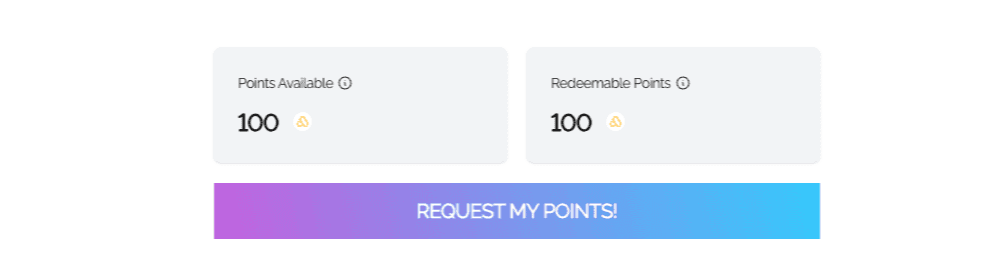
Points Details:
- Points Available: Displays your current points balance. These points are earned through sensor data contributions, participation in special programs, and your AmbiGo! ratings.
- Redeemable Points: Shows the amount of $AMBIOS you are expected to receive after the 3-day cooldown period ends.
Legacy Balance and Redemption:
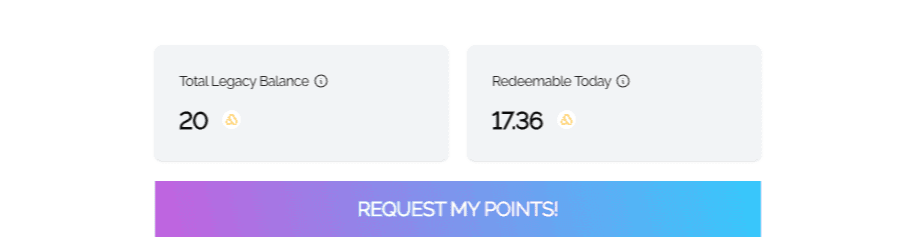
This section displays your Legacy balance and is only visible if you have successfully linked your wallet.
Important Notice: If you successfully completed the Migration Tool linkage before the November 3rd, 2025 deadline, but never connected your Solana wallet in the "My Wallet" page before the link button was removed, please open a support ticket and select the "Migration Tool" form. Our team will manually anchor your address to your dashboard.
Total Legacy Balance: Displays the total balance of legacy points carried over from eligible allocations as detailed in the Migration Tool.
- Redeemable Today: Shows the amount of legacy points currently available based on the dynamic redemption model.
- Note: Early redemptions are subject to a penalty, starting at 74% at TGE and decreasing linearly over the following 365 days.
- Request My Points!: Click this button to initiate the claim process. A pop-up window will appear for confirmation.
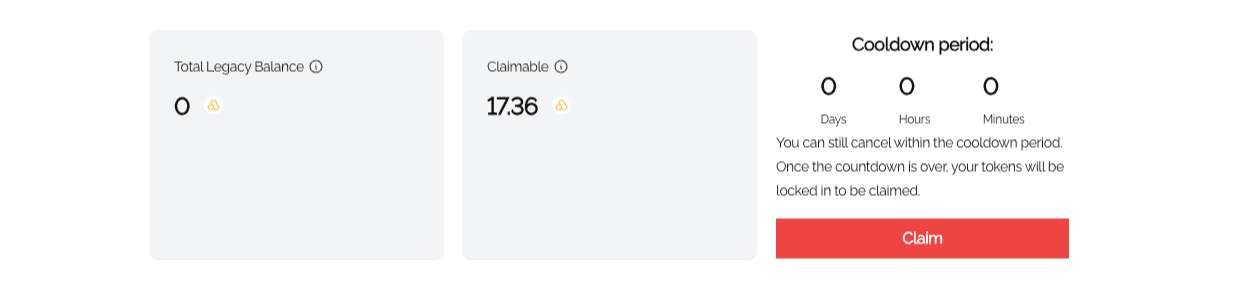
- Cooldown Period: Upon confirmation, a 3-day countdown will be displayed. During this cooldown, your points are held by the system, but you can still cancel your participation if needed. Once the countdown ends, your tokens become available for the final claim.
Sensor Rewards:
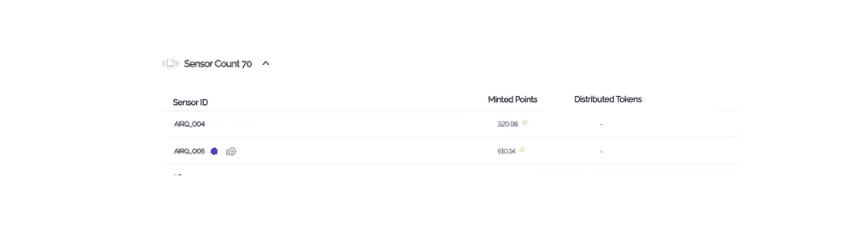
This section provides a summary of your connected sensors and their accumulated rewards.
- Reward Export: Click this button to generate a historical report. You can select a specific date range, and the system will generate a downloadable Excel file containing the rewards history for both your sensors and AmbiGo! ratings.
- Sensor Count: Displays the total number of sensors you have connected to the Ambios Network.
- Sensor ID: Shows the unique identifier of each connected sensor.
- Mined Points: Displays the total amount of reward points earned by each of your connected sensors and through your AmbiGo! ratings.
- Distributed Tokens: Shows the total amount of $AMBIOS already transferred for each specific sensor and your AmbiGo! ratings.
Transaction History:

The final section of the "My Wallet" page allows you to track all $AMBIOS movements and claim statuses:
- Timestamp: Shows the date and time of each transaction. Use this section to monitor the real-time progress and status of your active claim transactions.
- From/To: Displays the sending and receiving wallet addresses.
- Amount: Shows the quantity of $AMBIOS transferred in each transaction.
- Explorer: Provides a direct link to view the transaction details on the Solana blockchain explorer.